
Podzay Header - WordPress
🎉 Podzay is free. Full access, no subscription. Get Started Now →

🎉 Podzay is free. Full access, no subscription.

How to Start a Podcast: A Beginner’s Guide

Podzay Illustration
Updated: 10/6/26
Podzay

START YOUR PODCAST JOURNEY

Launch your podcast with the help of Podzay's powerful tools and community.

Signup on Podzay

Starting a podcast is less complicated when you make the decisions in the right order. You do not need an expensive studio or a perfect opening episode. You do need a clear listener, a format you can sustain, a reliable recording, and a way to publish files through a podcast host. This beginner guide takes you from an idea to a live episode, then explains what to check after launch. It focuses on the practical choices that prevent rework.

A podcast is a series of on-demand episodes. Most audio shows use a hosting service to store each file and publish an RSS feed, which listening apps read. The creator remains responsible for the concept, recording, editing, descriptions, rights, and promotion. You can begin with a modest setup and improve it after hearing from real listeners.

Define the listener and the show’s promise

Before naming the show, write one sentence that identifies the audience and the benefit. For example, “Every week, this show helps first-time restaurant owners understand one operational decision.” A promise that specific guides episode topics, guest choices, and titles. “Interesting conversations about business” gives a new listener little reason to choose your episode over many others.

List ten questions your intended listener might ask. Each question should be strong enough to support an episode. If you struggle to find ten, the concept may need a broader problem or a clearer audience. Then choose a realistic publishing rhythm. A monthly show that arrives consistently is better than a weekly plan that collapses after three episodes. Estimate research, outreach, recording, editing, approval, and promotion time, not only microphone time.

Decide what success means at this stage. It might be publishing six useful episodes, receiving thoughtful listener questions, or generating relevant professional conversations. Early download counts can be noisy. A well-defined purpose will help you decide whether to continue, adapt, or stop without chasing every new platform feature.

Choose a format and outline the first episodes

Common formats include solo teaching, interviews, co-hosted discussion, narrative reporting, and a mix. Choose based on the experience you can deliver repeatedly. Interviews require guest research, scheduling, and follow-up. Solo episodes demand a clear structure and enough material from the host. Narrative work can be powerful but needs more reporting and editing. Test one episode in the proposed format before committing to an entire season.

For each episode, identify the one question it answers. Draft a beginning that tells listeners what they will learn, three or four useful points, and a closing takeaway. An interview outline should include open questions and possible follow-ups, not a script that forces the guest to confirm your assumptions. A solo outline can contain examples, definitions, and transitions that help listeners follow the argument.

Prepare two or three episodes before launching. This creates breathing room if a guest cancels or an edit takes longer than expected. It also lets you compare the tone and quality of the first recordings. If they feel like three unrelated shows, refine the listener promise before submitting the feed.

Name and package the show clearly

A good podcast name is easy to say, remember, and search. It should suggest the topic or audience without copying another show’s identity. Check the major podcast apps, web search, and relevant trademarks before finalizing it. A vague clever name can work for an established brand, but a new show often benefits from descriptive wording. Keep the subtitle or description focused on the listener’s benefit.

Artwork must remain legible at small sizes. Use a strong contrast, limited text, and an image you own or have licensed for this use. Follow the current dimensions and file requirements of your host and destination apps. Avoid putting a long promise into tiny type. A person browsing on a phone should recognize the title and general topic without opening the full page.

Write a short show description that states who it serves, what each episode covers, and how often you publish. Do not fill it with repeated keywords or claims you cannot support. Keep a separate document with the approved name, description, artwork files, and credit information so updates remain consistent across platforms.

Build a recording setup that favors clear speech

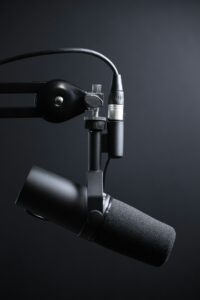
A quiet room and close microphone placement often matter more than an expensive device. Soft furnishings can reduce reflections, and a pair of headphones helps prevent a remote guest’s voice from leaking into your microphone. Record a short test, play it back, and listen for echo, hum, clipping, and uneven levels. Do not judge sound only by a moving meter. Our guide to podcast recording equipment explains how to prioritize microphones, headphones, and interfaces.

If you interview remotely, send the guest a simple setup note: join from a quiet room, use headphones, silence notifications, keep the microphone near the mouth, and avoid unstable Wi-Fi where possible. Confirm permission to record and publish. Capture separate tracks or local backups when your tools allow it. Start with a few minutes of informal conversation, then check that every voice is being recorded before asking your first substantive question.

Make a backup plan. Know what you will do if a device disconnects or a file is corrupted. A second recording source and an immediate copy to a separate drive can save an otherwise excellent interview. Name files consistently with the date, guest, and version, and never overwrite the raw recording during editing.

Record and edit for understanding

Open the episode with the listener’s problem, not a long explanation of why you started the show. Speak at a comfortable pace and define unfamiliar terms. In an interview, listen to the answer and ask a follow-up when the guest gives a generality. “Can you walk through a specific example?” often produces a more useful segment than the next question on the list.

Editing has two jobs: protect meaning and improve listening comfort. First remove material that distracts from the episode’s purpose, such as irrelevant tangents or repeated explanations. Then address obvious level differences, intrusive noise, and rough transitions. Do not cut a guest’s words so tightly that the answer changes meaning. Save a new project version before major structural edits and listen to the full export after processing.

Choose editing software based on your actual format. A straightforward waveform editor may be sufficient for a solo audio show; a multitrack or transcript-led workflow may help a longer interview. Our podcast editing software guide

Select a host and publish the feed

A podcast hosting service stores your finished audio and creates an RSS feed with the show and episode details that listening apps read. Compare storage, upload limits, analytics, support, website or player options, team access, and migration support. Check whether you can export files and redirect the feed if you leave. A host is not the same as a listening app, although some companies offer both functions.

Upload a finished episode with a specific title and concise description. Tell listeners what problem it covers and who appears, then add relevant links and credits. Choose an appropriate episode number and release date. Submit the RSS feed to the directories you want to reach, following each directory’s current instructions. Distribution and review can take time, so do not promise a public launch date until you have checked that the show page and first episode actually appear.

Test the episode in several places: the host’s player, a phone podcast app, and the public show page. Check artwork, title, duration, playback, and links. If you also publish on YouTube, understand that a YouTube video or podcast playlist is a separate destination. Its RSS ingestion can turn eligible audio episodes into static-image videos, but it does not distribute your show to other podcast apps.

Plan a modest launch and learn from it

Tell the people most likely to care why a specific episode is useful. A short message to a relevant community or guest’s audience is better than posting the same generic announcement everywhere. Offer a direct episode link and a one-sentence reason to listen. If a guest shares the episode, provide approved artwork and an accurate description, but do not pressure them into promotion.

After launch, check whether people can find the show, start an episode, and understand its value in the first minutes. Ask a few target listeners what confused them and what they would want next. Review analytics as directional evidence: which titles attracted attention, where listeners came from, and whether returning listeners appear over time. Do not compare a new show with a long-established one after a single release.

Use a repeatable checklist for future episodes. Confirm the topic, guest permission, recording backup, factual review, export, title, description, links, and scheduled release. Our podcast production advice

A seven-step launch checklist

  1. Define a specific listener and topic. Choose one recurring problem, interest, or question. Narrow a broad subject such as food to a useful promise, such as helping first-time cooks prepare reliable weekday meals.
  2. Choose the name, format, and publishing route. Decide whether the show is solo, an interview, a conversation, or a narrative. Check that the name is distinguishable and choose a hosting service that supports a portable RSS feed.
  3. Test your recording setup. Record a short sample in the room you will use. Listen through headphones for echo, background noise, clipping, and changes in speaking distance.
  4. Prepare and record the first episodes. Write a short outline with an opening promise, main points, examples, and a useful ending. Record a small buffer of episodes before announcing an ongoing schedule.
  5. Edit for clarity. Remove distracting mistakes and lengthy pauses without making speech sound unnatural. Check volume consistency, credits, and permissions for any third-party material.
  6. Publish and promote a specific benefit. Upload the episode to your host, write a descriptive title and show notes, and submit the feed through the listening platforms’ current submission processes. Share an idea or takeaway that gives people a reason to listen.
  7. Review and improve. Compare episodes over the same period after release. Read listener feedback, identify one change to test, and keep the publishing pace sustainable.

Essential equipment versus optional upgrades

A useful first setup consists of a microphone, headphones, a stable support, and a quiet recording space. Monitor your voice through headphones so you can hear noise or connection problems while recording. A pop filter or windscreen and consistent microphone distance can reduce plosives. Soft furnishings and a room away from traffic often improve the recording more than an expensive accessory.

A USB microphone can simplify a solo setup. An XLR microphone needs a compatible interface or recorder and can make sense when you need multiple inputs or a more flexible signal path. Check the full cost and compatibility before buying. Record and compare samples rather than assuming that a larger equipment budget produces a better interview.

Video is optional. If it serves your audience, begin with a camera or webcam you already own, a tidy frame, and soft light directed toward your face. Check exposure and audio synchronization with a short test. Additional cameras, elaborate lighting, and studio equipment can wait until you know what limits your actual production. For more setup decisions, see our podcast equipment guide.

Build a show that stands out and keeps publishing

The strongest idea is a promise you can deliver repeatedly. Write a one-sentence description of who the show helps and what listeners gain. Then outline several episodes that serve that same person. A coherent series is easier to recommend than a collection of unrelated conversations.

Choose a production pace that can survive your ordinary week. Allow time for research, guest coordination, editing, descriptions, and promotion. A shorter, carefully prepared episode every two weeks can be more sustainable than a weekly schedule that repeatedly slips. Maintain a small backlog of topics and a backup plan for cancelled interviews.

Invite guests for their experience and their fit with the episode question. Prepare examples and follow-up questions instead of asking only for a biography. Verify factual claims before publication and explain uncertainty when the evidence is limited. Clear production expectations and fair editing help both guests and listeners trust the show.

Promote the specific question an episode answers, then watch what listeners do. Compare downloads at the same episode age, completion where a platform makes it available, and useful feedback. Change one part of the process at a time so you can learn whether it helped. Our first-year podcast guide expands on planning a sustainable show.

Conclusion

To start a podcast, define a useful promise, choose a sustainable format, record clear speech, edit with care, and publish through a host whose feed you control. Test the real listener experience before announcing the show, then improve one part of the workflow at a time. A modest, dependable launch gives you better information and a stronger foundation than an expensive setup without a clear audience.

Podzay
PODCAST PLATFORM

Join the Podzay Community

Connect with fellow podcasters, share your content, and grow your audience with Podzay's comprehensive podcast platform.

Sign Up Now
Topics: