Launch your podcast with the help of Podzay's powerful tools and community.
Signup on PodzayThe best video podcast hosting platform depends on what you mean by hosting. One service may store and distribute an audio RSS feed, another may publish full video episodes, and a third may help record and edit them. YouTube is often a viewing destination, not a replacement for every podcast host. A creator can use more than one service without duplicating the underlying production work, provided the workflow and ownership are clear.
Before choosing a platform, decide where you want people to watch, where you want them to listen, and which version of each episode you will maintain. This guide explains the distinct roles of video destinations, podcast hosts, and production tools, then offers a practical comparison checklist. Platform features and pricing change, so verify current terms and distribution behavior before moving a show.
First is production: capturing separate microphones and cameras, syncing the tracks, editing the conversation, and creating captions or clips. Second is hosting: storing a media file, publishing episode information, and often generating an RSS feed for audio podcast apps. Third is distribution: making the episode available on YouTube, a podcast app, a website, or another channel. A platform may cover more than one part, but the distinctions prevent costly assumptions.
For example, uploading a video to YouTube gives viewers a place to watch and interact. It does not automatically create the same audio feed your listeners use in standard podcast apps. YouTube’s podcast help describes a podcast on the service as a playlist of videos. It also supports eligible creators delivering an audio RSS feed that YouTube converts into static-image videos, which is not the same as uploading a filmed conversation. Decide whether your YouTube presence will be a true video edit, an audio-derived visual, or both. Avoid posting two nearly identical versions that confuse subscribers.
Keep a master copy of the finished audio and video outside any publishing service. Export episode titles, descriptions, artwork, transcripts, and captions as part of a backup. A single dashboard can be convenient, but your show should remain portable.
A useful video podcast gives viewers something worth seeing: facial reactions, a demonstration, a shared document, or a visual explanation. If the entire episode is a static shot with no visual value, an audio-first show may be easier to produce and consume. That does not mean every video podcast needs several cameras. A clean, well-lit conversation with readable framing can be effective. Match the format to what the audience needs, not to a trend.
Plan for both viewers and listeners if you publish in both formats. An audio listener cannot see a chart when a guest says, “Look at this.” The host should briefly describe it and explain its significance. A video viewer needs captions that are corrected for names and technical terms. A short visual segment may require a companion explanation in the audio edit. Treat these as two versions of the same editorial work rather than assuming one export fits all.
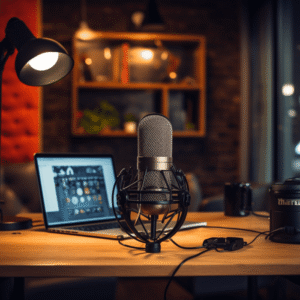
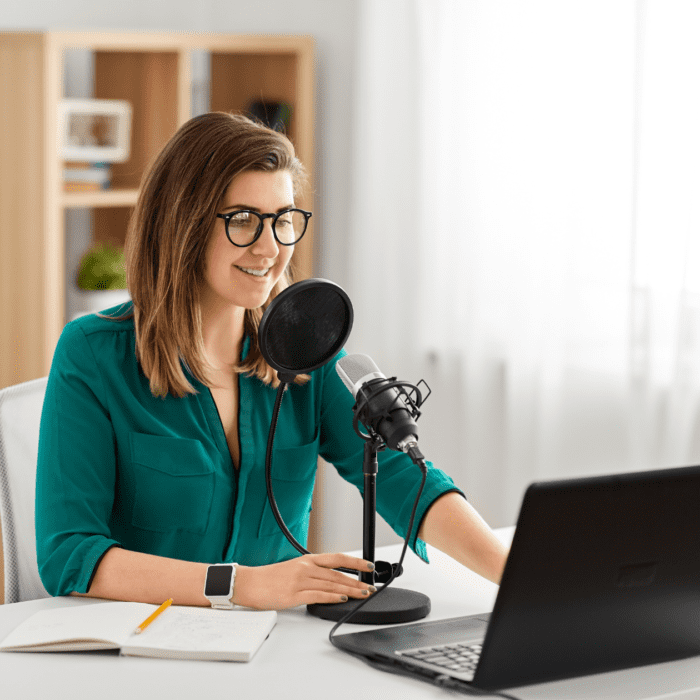
Build the recording setup around reliable speech. Clear microphones, headphones, a quiet room, and stable local recordings matter more than a costly camera. Our guide to podcast equipment helps prioritize those essentials before investing in elaborate visuals.
For video, test upload limits, processing time, resolution, captions, chapters, thumbnail control, player speed, embedding, privacy settings, and mobile playback. Upload an actual full-length episode rather than a short sample. Watch it on a phone and a desktop connection. Check whether captions remain synchronized, whether the player makes the show title clear, and how the platform handles a corrected file after release.
If episodes are public, discovery and audience interaction may matter. YouTube can be a strong destination for searchable video and comments, but it has its own channel and playlist workflow. A website embed can give your brand more control over context and calls to action, yet it may not offer the same built-in discovery. If content is private or paid, ask whether access controls apply to embedded video, downloads, transcripts, and clips, not just the main player.
Consider rights and moderation. You need permission for music, images, clips, and guest appearances in the video version, even if an audio cut uses different material. Publishing destinations can have their own content policies and automated enforcement. A claim or restriction can affect availability, so preserve your original files and understand the appeal or correction process.
Many listeners still prefer audio while commuting, exercising, or doing routine work. If you want an audio edition, evaluate the host’s RSS feed, directory submission guidance, episode scheduling, analytics, and redirect support. Confirm that the feed uses your chosen episode artwork and descriptions and that an episode update propagates as expected. Test the public feed in more than one podcast app before launch.
When YouTube receives an eligible audio RSS feed, its official help explains that it creates static-image videos for selected episodes. It does not distribute your podcast to other platforms. YouTube also notes that replacing an audio file in the RSS feed does not automatically update the already uploaded video; a re-upload process is needed. That detail matters if your team frequently fixes recordings after release. Put correction ownership in your publishing checklist so the audio feed and video destination do not drift apart.
Do not assume a platform that calls itself a video podcast host also provides robust audio distribution. Ask for a sample feed and a demonstration of updating, redirecting, and exporting it. If your current audio host works well, adding a video destination may be simpler than moving the entire show.
Remote recording services can capture separate audio and video tracks and make interviews easier to edit. A video editor may add captions, camera changes, layouts, and social clips. Those features can reduce production time, but they do not automatically answer where the published feed lives or who owns the audience data. Ask which files are downloadable, how long originals remain stored, and whether a collaborator can review without receiving full administrative access.
Use one full episode as a test. Invite a remote guest, record a backup, edit the conversation, produce a full video and an audio version, make a caption correction, and publish both. Count the manual handoffs. If a service requires repeated exporting and reuploading, compare that cost with a more integrated workflow. If it saves time but traps the project, decide whether the convenience is worth the dependency. Our podcast software guide explores related tool choices.
Teams should also test approvals and versioning. A producer may edit, a host may approve, and a marketing colleague may create clips. Ensure the final episode is not overwritten by an unfinished export. Name files consistently and keep a release log showing which audio and video versions went to each destination.
Video costs include more than the advertised hosting plan. Account for storage, upload bandwidth, transcription, extra team seats, higher-resolution exports, editor time, and backups. A long weekly show generates large source files even if the final compressed video is modest. Ask how the vendor counts storage and whether an archive remains accessible after downgrading or cancellation.
Measure benefit in terms of your goals. If video brings meaningful search traffic, stronger guest engagement, or useful demonstration value, the extra work may be justified. If most listeners use the audio feed and clips consume hours without results, simplify. You can start with one filmed segment per episode rather than converting every show into a full visual production.
Portability deserves a cost line of its own. Verify that you can export original recordings, captions, transcripts, thumbnails, episode data, and analytics. If the service controls your RSS feed, ask about a permanent redirect. If it controls a subscriber relationship, understand which contact details can legally and practically move with you. Switching platforms is much easier when these questions are answered before the first upload.
Write a requirements sheet with three columns: must have, useful, and unnecessary. Put reliable recording, good speech quality, required distribution, accessibility, and export in the first column if they matter to your show. Put automated clips or advanced visual templates in the second unless they demonstrably save time. Remove features that do not support a listener need. Then shortlist two or three services and run the same episode through each.
Score the result on publishing reliability, viewer experience, audio distribution, editing time, accessibility, privacy, portability, and total cost. Ask a real listener to find and play the episode in their usual app or browser. The producer’s dashboard experience is only half the story. Before committing, follow the steps in our podcast launch guide to ensure the show concept and production cadence are sustainable.
Choose the smallest stack that covers the actual workflow. That might be a recording tool, an audio RSS host, and YouTube as the video destination. It might be a more integrated service if it demonstrably handles all three. Document which platform is the source of truth for each episode field, and set a correction procedure for every destination.
The best video podcast hosting platform is not a single brand for every creator. Separate recording, hosting, and distribution, then test the combination with a real episode and a realistic publishing schedule. Prioritize clear audio, useful visuals, accessible captions, reliable RSS where needed, and ownership of your files. A simple stack that you can operate and maintain will serve your audience better than a feature-rich setup that makes each release difficult.
Connect with fellow podcasters, share your content, and grow your audience with Podzay's comprehensive podcast platform.
Sign Up Now