Launch your podcast with the help of Podzay's powerful tools and community.
Signup on PodzayWhen you pitch a podcast, one of the first things a host does is look you up. For most professionals, that search lands on LinkedIn. Your podcast guest LinkedIn profile is often the page that decides whether a host books you, so it should make your expertise obvious in under a minute.
This guide walks through each part of your LinkedIn profile and shows how to optimise it for podcast bookings, with examples you can adapt.
Hosts are trying to answer a few quick questions:
Every section below helps answer one of these questions.
Your headline is the most visible line on your profile. Instead of only your job title, include the topics you can speak on and the audience you help.
Adding “podcast guest” or “speaker” plus two or three topics helps hosts who search LinkedIn for guests find you.
Treat your About section as a short podcast guest bio. Write in the first person, keep the first two lines strong (they show before “see more”), and cover:
Podcast guest bio example: “I help bootstrapped software companies build their first sales team. Over the past ten years I’ve hired and trained sales teams at three startups. I speak about early sales hiring, founder-led sales and pricing. Open to podcast interviews: message me or email hello@example.com.”
The Featured section is your podcast portfolio. Pin:
If you have not been on a podcast yet, feature a talk, webinar, a video of you explaining your topic, or a well-received post. Hosts mainly want evidence that you communicate clearly.
Under each role, add one or two lines that link the work to the topics you discuss. Hosts skim, so lead with outcomes and keep bullets short.
Make it easy to reach you. Add a professional email or website in your contact info, and mention in your About section that you welcome podcast invitations. A host who has to search for a way to contact you may simply move on to the next candidate.
Hosts often scroll your recent activity. Regular posts on your core topics show that you have opinions, examples and things to say, which is exactly what makes a good interview. After each podcast appearance, share the episode and tag the host. It thanks them publicly and signals to other hosts that you promote episodes.
Use a clear, recent headshot. Your banner can show your topics, your website or a line like “Podcast guest on sales and hiring”. Small details, but they make your profile look intentional.
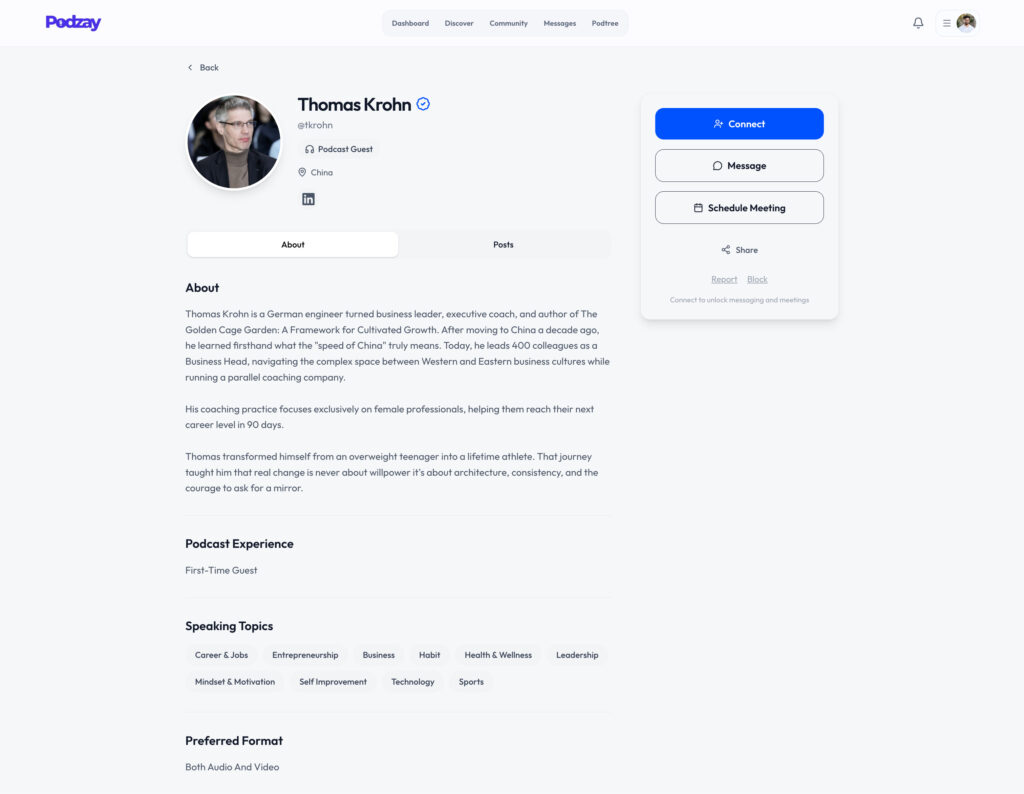
LinkedIn proves your credibility, but hosts still have to find you. A guest profile on a podcast matching platform puts you in front of hosts who are actively looking. On Podzay, you share your expertise, topics and the audience you want to reach, and Podzay suggests podcasts that align with them. You also get a public link page for your profile and important links, which you can add to LinkedIn’s contact info or Featured section.
Then use our guides to pitch and get booked on podcasts and prepare for the interview.
Podzay is free for Founding Members. Create your guest profile.
If getting booked on podcasts is a goal, yes. Pair it with your topics so it is clear what you would talk about.
Keep a short version of about 50 words for hosts to read out, and a longer version of 100 to 150 words for show notes and your LinkedIn About section.
Not strictly, but most hosts check guests online before booking. For professionals, LinkedIn is usually the first place they look, so an up-to-date profile helps.
Yes. Many hosts search LinkedIn by topic and job title. Clear keywords in your headline and About section make you easier to find.
Connect with fellow podcasters, share your content, and grow your audience with Podzay's comprehensive podcast platform.
Sign Up Now